




ezofis
ezofis ezofis
Revenue Starts With The Order

Turn Every Customer Order Into A Coordinated Workflow

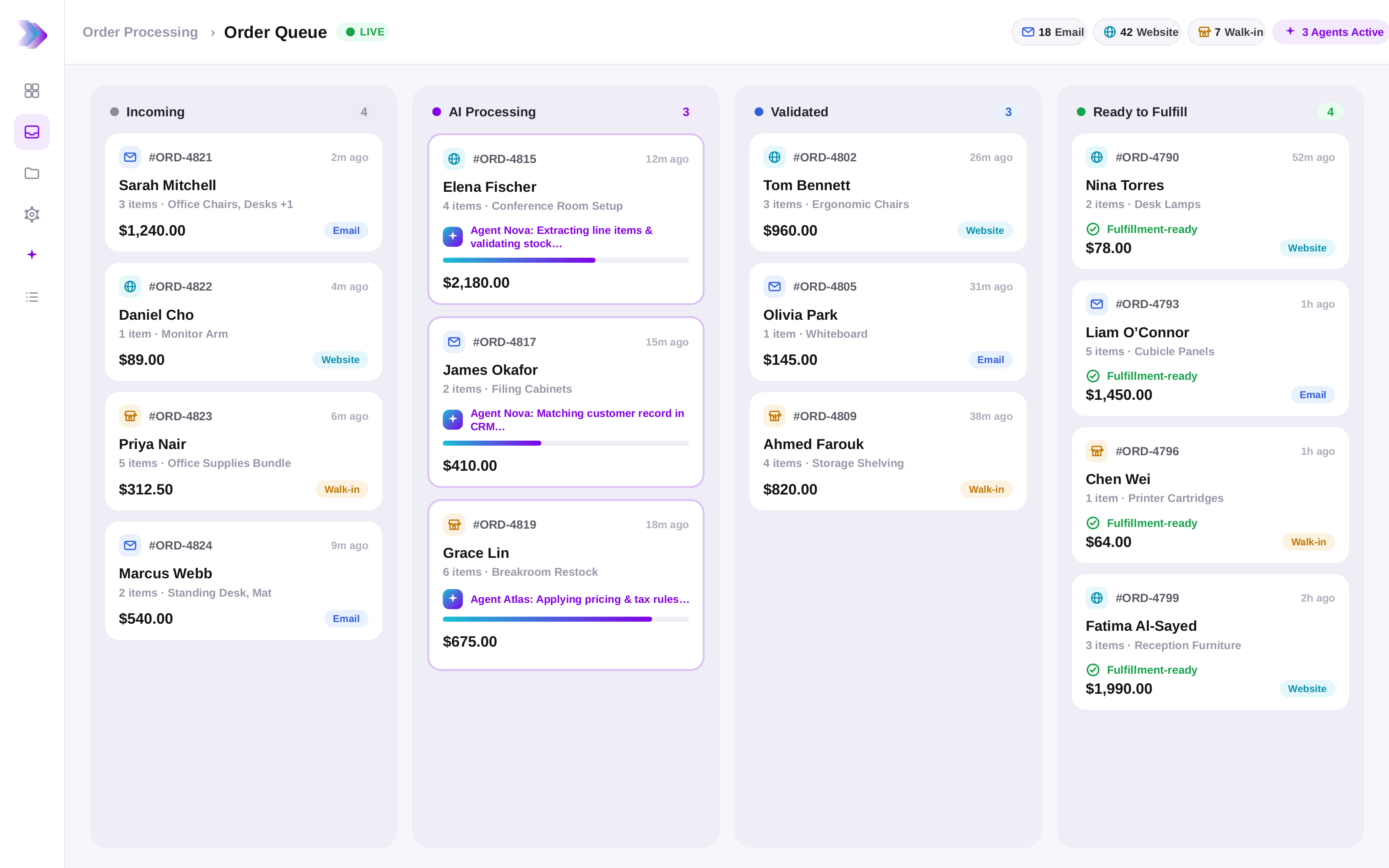
Capture orders, validate information, manage approvals, coordinate fulfillment, monitor production, track shipments, and synchronize activities across your Order-to-Cash process.

starBuilt for manufacturers, distributors, wholesalers, and operations teams managing complex customer orders.
Features Built for Modern Order Operations

One Intelligent Workflow For The Entire
Order-to-Cash Journey

Customer orders rarely move through a single department.
Sales teams receive requests. Operations validate information. Production schedules work. Logistics coordinates fulfillment. Finance manages invoicing.Every handoff introduces opportunities for delays, exceptions, missing information, and lost visibility.EZOFIS helps organizations coordinate these activities through agentic workflows that keep customer orders moving from intake to fulfillment.
📧 AI-Powered Order Capture

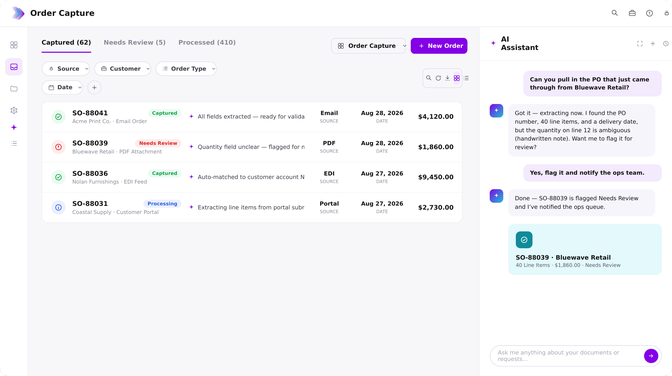
Capture purchase orders from walk-in / drive-in, emails, portals, PDFs, spreadsheets, EDI feeds, and customer submissions. AI extracts order information and prepares it for processing.

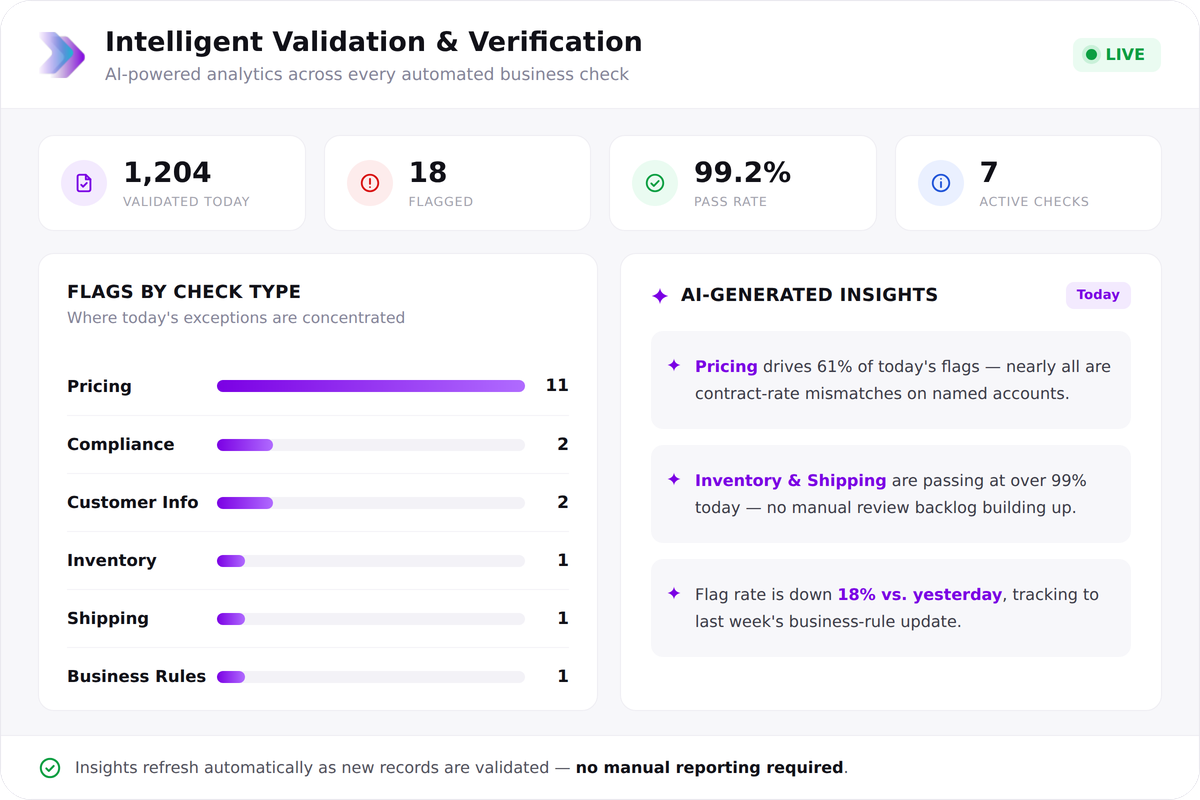
🧐 Intelligent Validation & Verification

Automatically validate customer information, pricing, inventory availability, product specifications, compliance requirements, shipping details, and business rules before work progresses.

1 %
On time
1 hrs
Time saved
1 %
Priority met
🏭 Production & Fulfillment Coordination

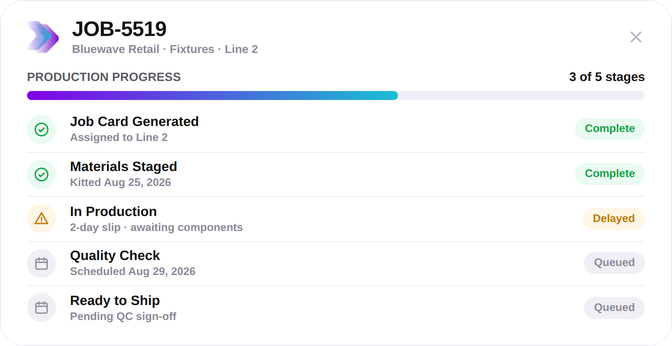
Generate job cards, manage production workflows, track order progress, coordinate queuing, pick tickets, and provide real-time visibility into fulfillment activities.

🔔 Customer Communication Automation

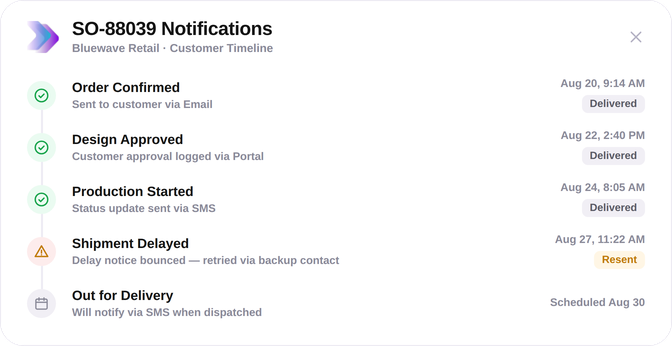
Automatically notify customers about order confirmations, approvals, design reviews, status updates, shipment milestones, delays, and completion events.

🚚 Shipment & Delivery Management

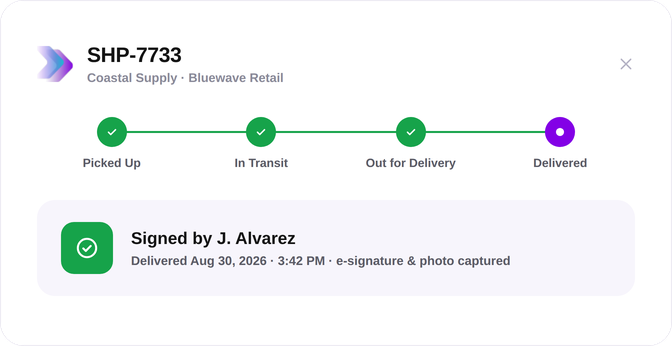
Coordinate shipping activities, manage delivery confirmations, collect e-signatures, i-pad driven receipt notes, track fulfillment status, and maintain complete order visibility.

Task Progress
Copywriting 3/8
Illustrations 6/10
UI Design 2/7
Developer 4/7
Benefits Built for Revenue Operations

Create a 🤝 Faster, 💡 More Traceable Order Experience

Accelerated Order Processing

Reduce manual reviews, repetitive data entry, and order administration activities.

Improved Order Accuracy

Validate information before errors reach production, fulfillment, or invoicing.

Stronger Customer Visibility

Keep customers informed through automated updates and trackable communications.

Better Fulfillment Coordination

Connect sales, operations, production, logistics, and finance through a shared workflow.

Reduced Operational Delays

Identify bottlenecks, stalled approvals, missing information, and workflow exceptions earlier.

Greater Revenue Control

Track every order from intake to invoicing with complete visibility and accountability.

Order-to-Cash Workflow How it works

From Customer Order To Revenue Recognition

01
Receive
Customer orders arrive through email, portals, EDI channels, PDFs, or integrated systems.
02
Capture
AI extracts customer, product, quantity, pricing, and fulfillment information automatically.
03
Validate
Business rules, inventory, compliance requirements, pricing, and approvals are verified.
04
Coordinate
Production teams, planners, operations, and fulfillment stakeholders receive the information required to execute.
05
Fulfill
Orders are manufactured, picked, packed, shipped, delivered, and tracked through workflow-driven processes.
06
Invoice
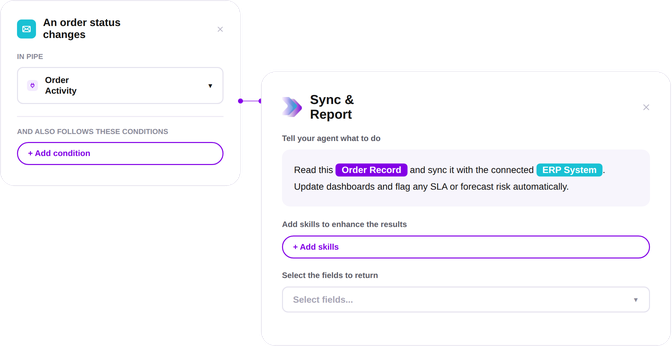
Shipment confirmations, delivery validations, supporting documents, and invoices are synchronized with ERP and financial systems.
Trusted Built for Operational Scale

For Teams That Need Orders To Move Without Constant Follow-Up

Most organizations do not struggle to receive orders.

The challenge begins after the order arrives.

Information must be validated. Inventory must be checked. Customers require updates. Production schedules change. Approvals are needed. Shipments must be coordinated.

EZOFIS helps organizations connect these activities through intelligent workflows that provide visibility across every stage of Order-to-Cash.

Questions Order-to-Cash Explained

🌟 Have Questions About Order-to-Cash Automation?

Learn how AI agents help automate order intake, validations, production coordination, fulfillment activities, customer communication, and invoicing.

What parts of Order-to-Cash can EZOFIS automate?
Order capture, sales order creation, inventory validation, approvals, customer communication, job card generation, production tracking, shipment coordination, invoicing, ERP synchronization, document management, and reporting.
Can EZOFIS capture purchase orders automatically?
Yes. Purchase orders can be captured from emails, PDFs, portals, EDI feeds, and integrated systems using AI extraction.
Can the platform post sales orders automatically to ERP?
Yes. Validated order information can be transformed into ERP-ready sales orders and downstream workflows.
Can production teams track work through EZOFIS?
Yes. Job cards, production status, approvals, fulfillment milestones, and workflow activities can be managed within the platform.
Does EZOFIS support shipment and delivery workflows?
Yes. Shipment coordination, delivery validation,i-pad integration, e-signatures, proof-of-delivery capture, and status tracking are supported.
Does EZOFIS integrate with ERP systems?
Yes. EZOFIS synchronizes order information, fulfillment updates, invoices, and workflow outcomes with ERP environments.

Bring Intelligence To Every Customer Order Before It Becomes Revenue

  • Faster order processing
  • Better fulfillment visibility
  • Stronger customer communication
  • Built for modern revenue operations

    Cart (0 items)

    Create your account

    Select the fields to be shown. Others will be hidden. Drag and drop to rearrange the order.
    • Image
    • SKU
    • Rating
    • Price
    • Stock
    • Availability
    • Add to cart
    • Description
    • Content
    • Weight
    • Dimensions
    • Additional information
    Click outside to hide the comparison bar
    Compare